AI, web, SEO, CRM and automation for growth-focused teams
Get a quote

HubSpot Website Design

HubSpot Website Design Agency for B2B Teams

A well-built HubSpot website lets your marketing team publish pages faster and gives sales cleaner lead data. It also makes it easy to see which pages are driving real pipeline.
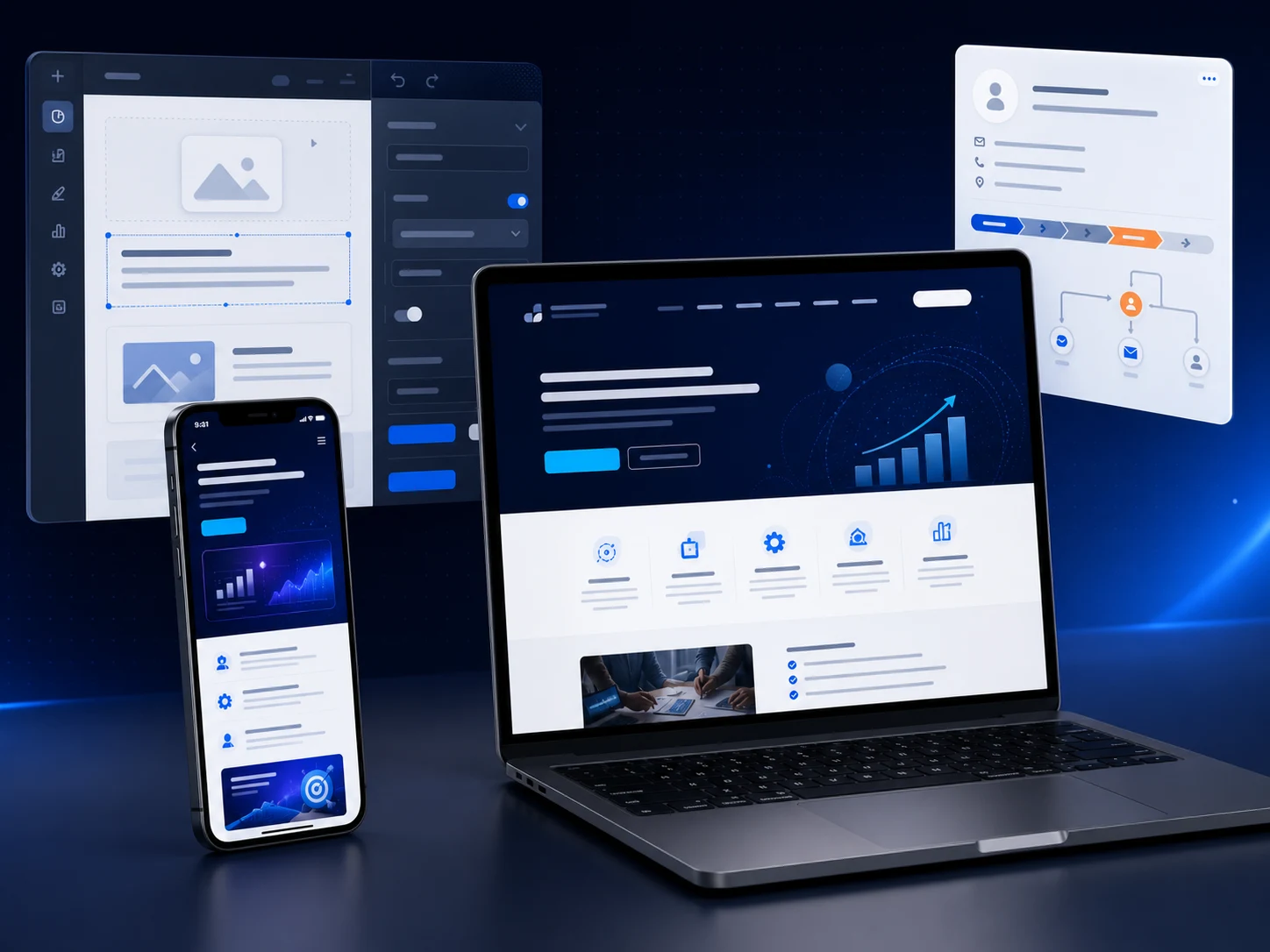
Custom HubSpot website shown with its page editor and CRM lead record.
CMS-ready Reusable HubSpot modules
CRM-linked Forms, routing, follow-up
SEO-safe Migration planning included
50+ HubSpot projects delivered
350+ Custom HubL modules built
Certified HubSpot CMS Developer
B2B focus Design and CRM connected from day one

Visual build system

Editable HubSpot pages need a designed publishing system.

The page is planned as reusable modules, controlled editor fields, and responsive output your team can keep improving after launch.
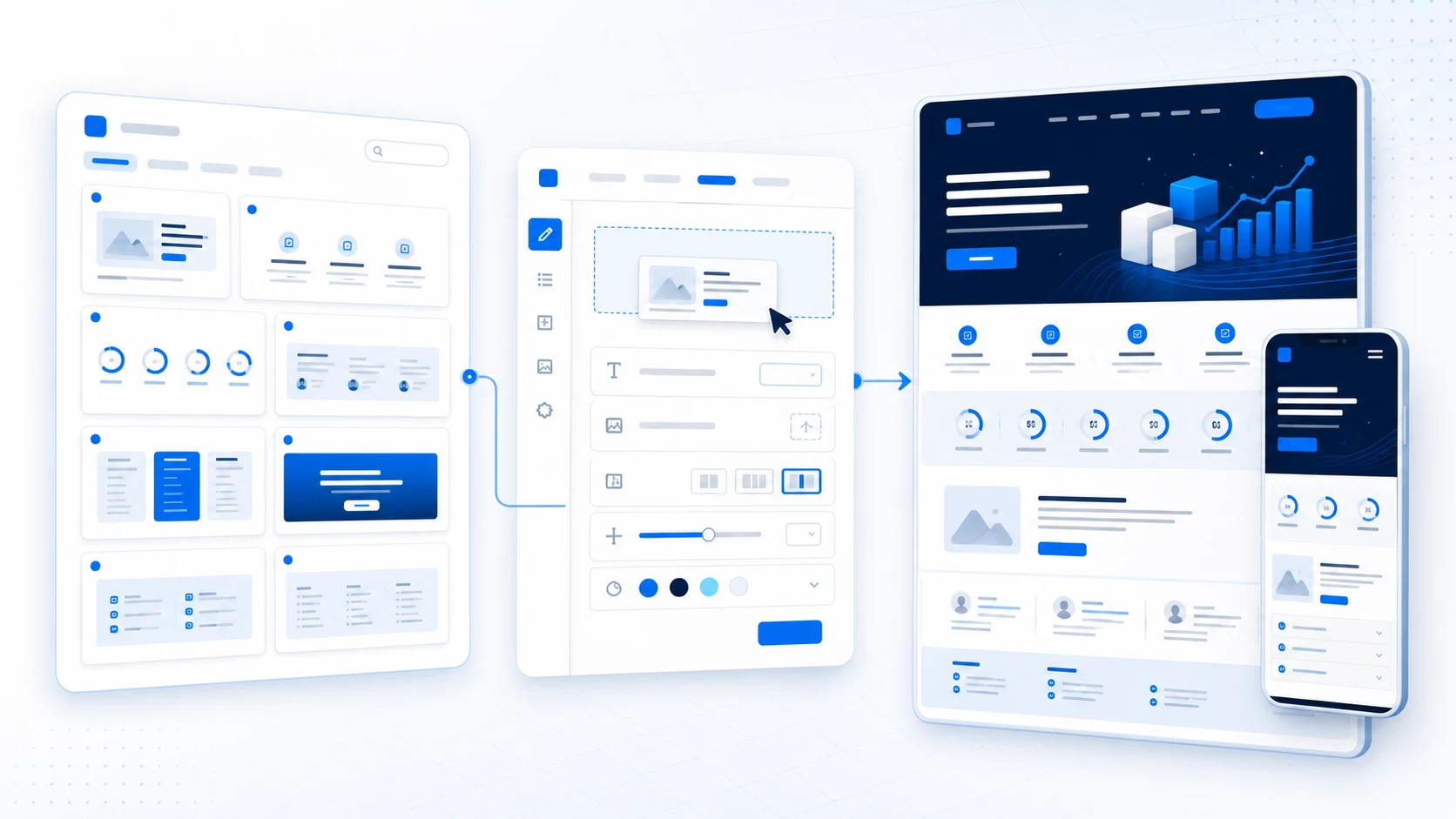
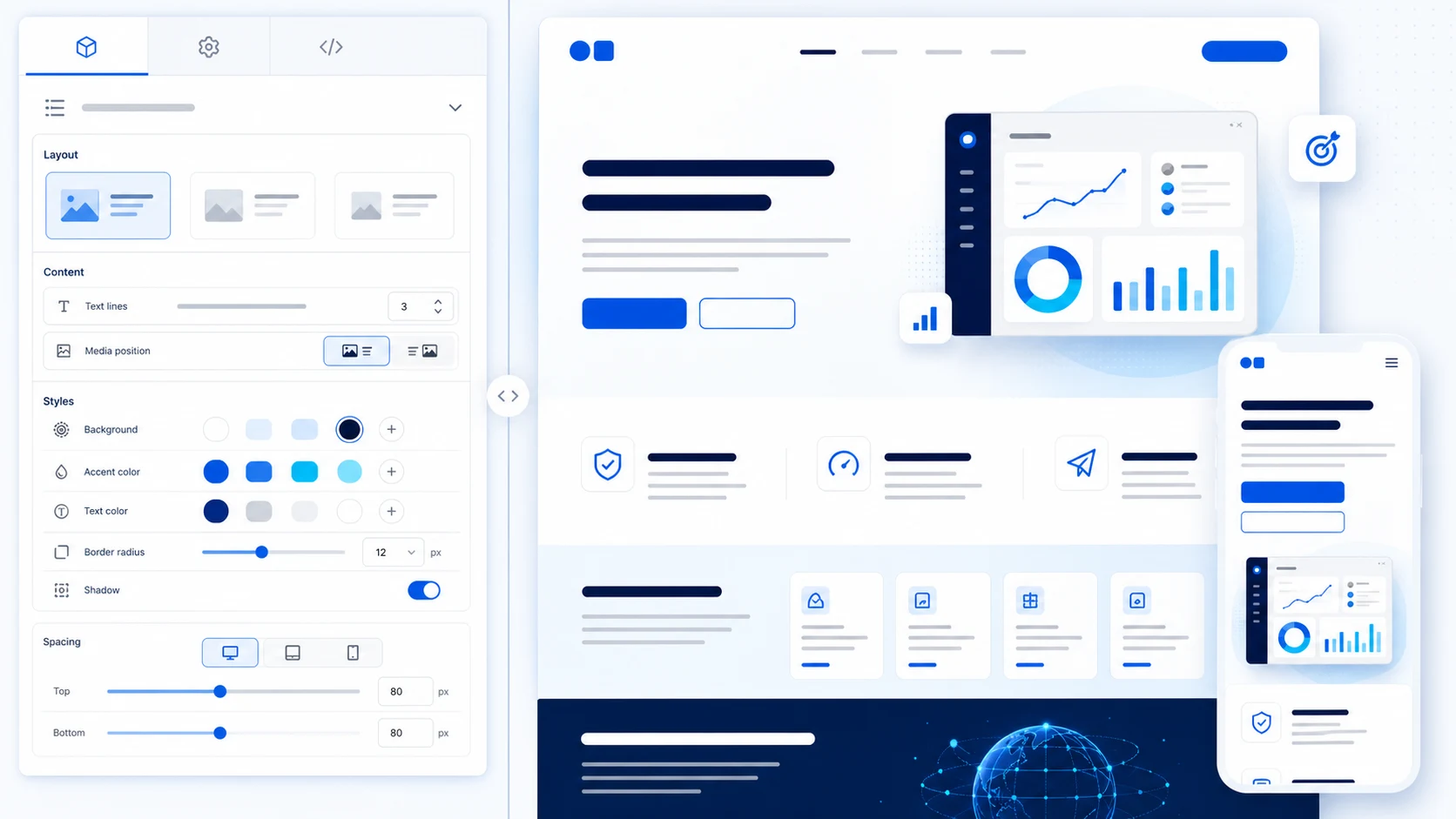
Reusable HubSpot modules used to create an editable B2B website page.
Reusable modules | Controlled editing | Responsive output
HubSpot custom module controls beside the finished responsive website section.
Editors can change content and approved layout options without altering the underlying design system.

What we build

Your team should be able to improve the website without starting another development project

Moving a website to HubSpot Content Hub does not automatically make it flexible. That depends on how the theme, templates, modules and editing controls are planned and built. A rushed build can leave marketing with rigid layouts, unclear fields and hardcoded sections that still require a developer for every meaningful change.

We build the opposite. Your team receives reusable sections, sensible controls and clear design guardrails so they can publish a landing page, update a service, replace a testimonial or adjust a CTA without breaking the visual system.

HubSpot’s CMS architecture connects website content, lead collection and analytics with the CRM. That is why the editing experience and the lead journey should be planned together, not handed to separate teams at the end of the project.

Reusable sections

Editors combine approved blocks to create pages without redesigning every component.

Clear editor controls

Fields have understandable names, help text and useful defaults. No guesswork.

Brand guardrails

Typography, colour, spacing and component behaviour remain consistent across all editors and sessions.

CRM-connected from the start

Every form submission creates a contact record, triggers ownership and starts the follow-up sequence.

Where projects get stuck

Where HubSpot website projects usually get stuck

These are the situations clients describe when they come to us for a rebuild or a rescue.

The site is editable, but difficult to use
There may be dozens of unclear fields, too many styling controls or no reusable sections. Marketing can change words, but creating a new page still feels risky. We replace ambiguous module structures with controlled, named fields and clear defaults.
The theme does not fit the brand
A marketplace theme looked close enough at the start. Months later the team is still working around its layouts and overriding styles. For a new build or redesign, we start from the brand rather than adapting around an existing theme.
Forms collect leads, but the handoff is incomplete
Submissions arrive but properties, ownership, notifications or next steps are wrong. Our CRM and marketing automation work closes that gap by testing the complete journey from form fill to sales follow-up.
The website and CRM feel like separate tools
Marketing reports on traffic while sales reports on deals. A connected lead-generation path makes the relationship between page, form and opportunity clearer and measurable.
A redesign puts search visibility at risk
Pages are renamed, URLs change and useful content disappears without a complete migration plan. Our SEO service is involved before development is complete, not after the new pages have already replaced the old site.
Every improvement becomes another ticket
The site was delivered as finished pages instead of a reusable system, so the team cannot extend it without returning to the original developer. A properly built module library removes this dependency for routine publishing tasks.

Request a HubSpot Website Assessment

What we deliver

HubSpot website design and development from strategy to launch

Every project brings together the right specialists at the right stage. The scope depends on whether you are launching a new site, redesigning within HubSpot or migrating from another platform.

Strategy

Website strategy and information architecture

We clarify the audience, offers, sitemap and conversion path before any design begins, using our marketing strategy process.

Design

UX and visual design

Wireframes and branded interface designs through our web design capability, with HubSpot editing requirements included from the start.

Develop

Custom HubSpot theme development

Custom themes using HubL, HTML, CSS and JavaScript, planned around your page types and editing workflow.

Modules

Custom HubSpot modules

Reusable modules for hero sections, service grids, testimonials, pricing tables, resource cards, FAQ groups and form or meeting-booking blocks.

Data

HubDB dynamic pages

Structured directories, partner listings, resource libraries and team profiles managed from a HubDB table instead of individual pages. Requires Professional tier.

Redesign

HubSpot website redesign

Audit of the current theme, templates, modules and editing experience before deciding what to keep, improve or replace. See our website modernisation approach.

Migration

WordPress-to-HubSpot migration

A full project covering template rebuilds, content migration, form recreation, URL mapping, redirect implementation, analytics reconnection and complete lead-journey testing before launch. Every WordPress plugin and custom function is reviewed individually.

Technical

Technical SEO and migration planning

Titles, descriptions, headings, internal links, canonical URLs, indexation, structured data, sitemaps and redirects. Our SEO service is involved before development is complete, not after.

Support

Ongoing HubSpot website support

New modules, template improvements, campaign pages and continuous website improvements after launch.

Editor experience

A HubSpot website your marketing team can actually run

A flexible website should not give editors unlimited control over everything. That often creates inconsistent spacing, colours and mobile layouts. We decide which choices help the team and which decisions should remain protected by the design system.

Reusable page sections

Editors combine approved sections to create pages without redesigning every block from scratch.

Clear editor controls

Fields use HubSpot module and theme fields with understandable names, help text and useful defaults.

Brand guardrails

Typography, colour, spacing and component behaviour stay consistent even when different team members create pages.

Responsive behaviour

The module determines how content adapts on smaller screens instead of expecting the editor to repair mobile layouts manually.

Documentation

Practical guidance for every template, module and global setting delivered in the project.

Training

Recorded walkthroughs using your real pages and publishing tasks, not a generic tour of HubSpot.

Build approach

Marketplace theme, child theme or fully custom build?

Not every project needs the most expensive route. The right choice depends on the brand, content, timeline, publishing workflow and functional requirements.

Option A

Configured marketplace theme

A sensible option when an available theme already supports most of the layouts you need and the business can work comfortably within its visual system. We configure global styling, select appropriate templates and build pages without unnecessary custom development.

Smaller sites · Tighter budgets · Standard content

Option B

Extended or child theme

A HubSpot child theme allows a developer to extend a parent theme while keeping custom changes separated from the original package. Works well when the base theme is strong but needs additional styles, modules or templates.

Solid base · More control needed

Option C

Fully custom HubSpot theme

Designed around the brand, content model and publishing workflow. Instead of adapting the business to an existing theme, templates and modules are built around the page types and editor controls the team actually needs.

This option is where the CRM integration, smart content and HubDB dynamic pages are most effectively planned from the ground up.

Established B2B brands · Complex sites · Long-term programmes

Discuss your HubSpot build

CRM and lead flow

Connect the website to what happens after the form

A visitor should not disappear into a generic inbox after submitting an enquiry. We plan the path from page visit to form submission, contact record, lead ownership, follow-up and reporting, integrating the website with HubSpot CRM setup, automation and analytics.

HubSpot form setup and styling
Contact-property mapping
Hidden source and campaign fields
Consent and communication fields
Lifecycle-stage planning
Lead ownership and routing
Internal notifications and tasks
Confirmation emails and follow-up workflows
Meeting-booking paths
GA4 and Google Tag Manager connection
Campaign and source reporting

Migration and SEO

A redesign should not erase the visibility you have already earned

Changing a URL, removing a page or rebuilding navigation changes how visitors and search engines move through the site. No responsible agency can promise that rankings will never fluctuate after a major move. The goal is to understand the current site, protect valuable pages and remove avoidable mistakes. Google’s site-migration guidance is a useful baseline reference.

1

Crawl and inventory

Collect current URLs, titles, descriptions, headings, internal links, status codes and indexation signals from the live site.

2

Review performance and purpose

Identify important organic landing pages, conversions, backlinks and content that should be preserved or improved.

3

Map old URLs to new destinations

Give every changed or removed URL a planned destination where a relevant replacement exists before development begins.

4

Build in a controlled environment

Use HubSpot content staging to review redesigned pages before they replace the live versions.

5

Test the complete website

Check navigation, internal links, forms, tracking, mobile behaviour, metadata, canonical tags, redirects and key conversion journeys.

6

Launch and monitor

Implement and verify HubSpot URL redirects, then monitor crawling, indexation, broken links, form activity and Search Console reporting.

Scope gaps to watch for

A cheap HubSpot build becomes expensive when the scope is vague

A lower price is not automatically a warning sign. An experienced independent developer with a clear scope can be the right choice for a focused project. The real risk is a proposal that says “HubSpot website development” without defining what will be designed, built, migrated, tested and handed over.

No template or module inventory
The proposal lists pages but never explains how many unique templates and reusable modules will be delivered. Ordinary content changes still require code after launch.
Hardcoded content
The finished page looks correct, but text and images are in template code rather than editable module fields. Marketing receives a site without gaining meaningful control.
No SEO migration responsibility
The developer assumes somebody else will export URLs, prepare redirects, transfer metadata and monitor the launch. Nobody does it, and rankings drop.
Forms tested only visually
The form looks fine, but nobody verifies property mapping, ownership, consent, notifications or the workflow after submission. Leads disappear into a void.
Performance and accessibility as extras
Oversized images, unnecessary scripts, weak contrast and poor focus behaviour are discovered after launch when fixing them costs more time.
No ownership or support terms
The client does not know who owns the code, design files, licences or development accounts, or what happens when a launch issue appears. This should be stated in the contract, not assumed.
No documentation or training
The agency delivers a portal without a module guide, property data dictionary or walkthrough. When the team or the agency changes, nobody can maintain or explain the system.

How we work

How a HubSpot website project moves from idea to launch

Each stage has a clear outcome before the next one starts. You receive a scope document before any design begins and a launch checklist before any page goes live.

1

Discovery and audit

We review the current website, audience, offers, content, HubSpot setup, reporting and internal publishing process. The aim is to identify the real problems before a design direction is chosen.

2

Scope and structure

We define the sitemap, page types, templates, modules, forms, integrations, migration work and project responsibilities. You receive a clear picture of what is included and what is not.

3

Wireframes and visual design

Key pages are planned around content priority, user questions and conversion paths. Approved wireframes are developed into a visual system that fits the brand.

4

HubSpot development

We develop or configure the theme, templates, global content and custom modules. Pages are tested as the system is built rather than leaving every problem until the end.

5

Content, integration and QA

Content is added or migrated, forms are connected, redirects are prepared and the site is reviewed across the agreed devices and browsers.

6

Launch, training and improvement

We complete the launch checklist, publish the website, verify tracking and form activity, train the team and document the system. Launch creates a stable foundation, not the end of improvement.

Selected work

Real HubSpot projects

Specific delivery facts are more credible than a vague claim about transformational growth. When project details are approved for publication, this section will include real screenshots, module counts and delivery outcomes.

Evidence we review before launch For every HubSpot website project, we confirm the module system, migrated pages, redirect map, CRM handoff, editor training and launch QA before the site is promoted. View current success stories →

Typical proof points checked during handover:

12 reusable modules delivered
45 pages migrated
130 redirects implemented
3 lead-routing workflows connected
Editor training completed
Module documentation delivered

What you keep

What you keep after launch

A useful handover is more than an administrator login. The proposal and contract should state exactly what is transferred, what is licensed and what support remains available. Meet the people behind the work.

Theme, templates and modules

The agreed HubSpot development assets remain in the client's portal under the ownership terms in the contract.

Design source files

Approved Figma files and related assets are organised for future use or handoff to another designer or developer.

Editing documentation

The team receives practical guidance showing where modules are used and what each important setting controls.

Migration records

The approved URL map and redirect file are retained for launch review and future troubleshooting.

QA record

Key templates, devices, forms and workflows tested during the project are documented.

Right fit

Who this service is designed for

This service is a strong fit for B2B and SaaS companies, professional-service firms and marketing teams that need the website, CRM and reporting to work as one system.

Good fit
  • Teams already using HubSpot CRM and ready to improve the website experience
  • Businesses moving from WordPress or another CMS
  • Companies whose current HubSpot theme is difficult to manage
  • Organisations that need design, development, SEO and CRM in one project
  • Marketing teams planning a larger service-page, campaign or resource programme
Less likely a good fit
  • The only requirement is to duplicate one existing page within a few hours
  • No internal owner is available to review content and decisions during the project
  • Budget is the only variable and scope definition is not part of the evaluation

Cost and scope

What affects the cost of a HubSpot website?

There is a major difference between configuring an existing theme, extending one with custom modules and creating a fully custom B2B website. Our current pricing framework can help with early planning, but the final proposal should be based on the actual page, module, migration and integration scope.

Number of unique page types

Ten pages using two templates require less design and development than ten pages with ten different layouts.

Custom module requirements

A simple card grid and an interactive calculator or directory involve very different levels of development and testing.

Content readiness

A project moves differently when final copy and images exist compared with one that also requires positioning, writing and production.

Migration volume

The number of pages, blog posts, files, forms, redirects and structured records affects effort and timeline.

CRM and integration requirements

Property mapping, routing, workflows, marketplace apps, APIs and custom data add scope that must be documented before development begins.

SEO, analytics and support

A new five-page site has different requirements from a large migration with years of organic history and a continuing support retainer.

A useful proposal should include

  • Deliverables and exclusions
  • Page, template and module inventory
  • Content and migration responsibilities
  • Integration and testing scope
  • Timeline and review stages
  • Payment milestones
  • Ownership and licensing terms
  • Post-launch support period

Request a Project Scope Review

Questions

Frequently asked questions about HubSpot website design

What does a HubSpot website design agency do?
A HubSpot website design agency plans, designs and develops sites for HubSpot Content Hub. The work can include strategy, UX design, themes, templates, reusable modules, migrations, forms, CRM integration, technical SEO, training and ongoing support. The exact scope depends on whether you are launching a new site, redesigning an existing HubSpot site or moving from another platform.
What is the difference between HubSpot Content Hub and HubSpot CRM?
HubSpot Content Hub provides tools for creating and managing website and marketing content. HubSpot CRM stores and organises information about contacts, companies, activities and sales opportunities. They can work together so website activity and form submissions become part of the contact record and follow-up process. Available features depend on the products and subscription levels in the account.
Can you redesign an existing HubSpot website?
Yes. We can update the design system, build new modules and templates, or replace a theme that has become difficult to maintain. We first audit the current assets to understand what can be reused safely. Our broader website modernisation approach follows the same principle: improve what is useful and rebuild what is blocking the team.
Can you migrate a WordPress website to HubSpot?
Yes. The work normally includes auditing the existing WordPress website, planning the new HubSpot structure, rebuilding templates and modules, transferring content, recreating forms, mapping redirects and testing analytics and lead capture. Plugins and custom functions are reviewed separately because they may require a different HubSpot solution rather than a direct replacement.
Will moving to HubSpot affect our SEO?
Any major website migration can create temporary search fluctuations. Risk can be reduced by preserving valuable content, keeping sensible URLs where possible, implementing accurate redirects, transferring metadata, reviewing internal links and monitoring the site after launch. Google’s site-move documentation is a useful reference. No agency should guarantee that rankings can never move.
Should we use a marketplace theme or a custom HubSpot theme?
A marketplace theme may be a good choice when its templates, design system and editor already fit most of the requirements. A custom theme makes more sense when the site needs a distinctive design, specialised page types, carefully controlled editor options or functionality that an existing theme cannot support cleanly. The decision should follow a review of your content and publishing workflow, not only a price comparison.
What are custom HubSpot modules?
Custom HubSpot modules are reusable website components developed for a specific content or functional requirement. A developer might create a comparison table, testimonial block, service grid or resource listing. Editors can then add and configure the component through the page editor instead of rebuilding its HTML and styling each time.
Will our marketing team be able to edit the website?
That is one of the central goals of our approach. We create reusable modules and controlled editing options so the team can change content, build approved layouts and publish pages without editing code. The exact level of flexibility is agreed during planning because too little control creates dependency, while unlimited control can create visual inconsistency.
Which HubSpot subscription do we need?
The right subscription depends on the website, staging, structured content, reporting, personalisation, governance and integration features required. We review the project against HubSpot’s current Content Hub pricing and feature information before recommending a plan. Product names, limits and prices change, so they should be checked again when the project is scoped. Most growing B2B businesses need Professional tier or above.
How much does a HubSpot website cost?
Cost depends on the number of unique templates, custom modules, pages, integrations and content items involved. A configured marketplace theme costs less than a fully custom theme with a large migration and complex CRM integration. After discovery, you should receive a clear deliverable list and module inventory so proposals can be compared on scope rather than the final number alone. See our pricing framework for early planning guidance.
How long does a HubSpot website take to build?
Timing depends on scope, content readiness, stakeholder availability and technical complexity. A focused landing-page system can be delivered more quickly than a multilingual site with custom integrations and a large migration. We establish the schedule after defining page, module, content and integration requirements, including time for review, quality assurance and launch preparation.
Can you connect HubSpot forms with our CRM and sales process?
Yes. We can configure forms, contact properties, source information, lifecycle stages, notifications, assignment and follow-up actions through our CRM and marketing automation service. We also test what happens after submission. A successful thank-you message is not enough if the contact record or lead owner is wrong.
Do you provide support after launch?
Yes. Support can include issue resolution, new templates, custom modules, campaign pages, analytics reviews and continuous website improvement. The warranty period included with the build and any ongoing support arrangement should be stated clearly in the proposal.
Who owns the website design and code after the project?
Ownership should be stated clearly in the contract. The agreement should identify who owns the approved design files, custom code and website assets after payment, and which third-party themes, fonts, images, modules or software remain subject to separate licences. We set this out explicitly in every proposal.

Let us talk

Start with the real problem, not a pre-selected theme

Share your current website, HubSpot plan, page count, target launch date, and what your team struggles to manage today. We will review it and recommend whether you need a theme configuration, child theme, custom build, redesign, or full migration.

Request a HubSpot Website Assessment