
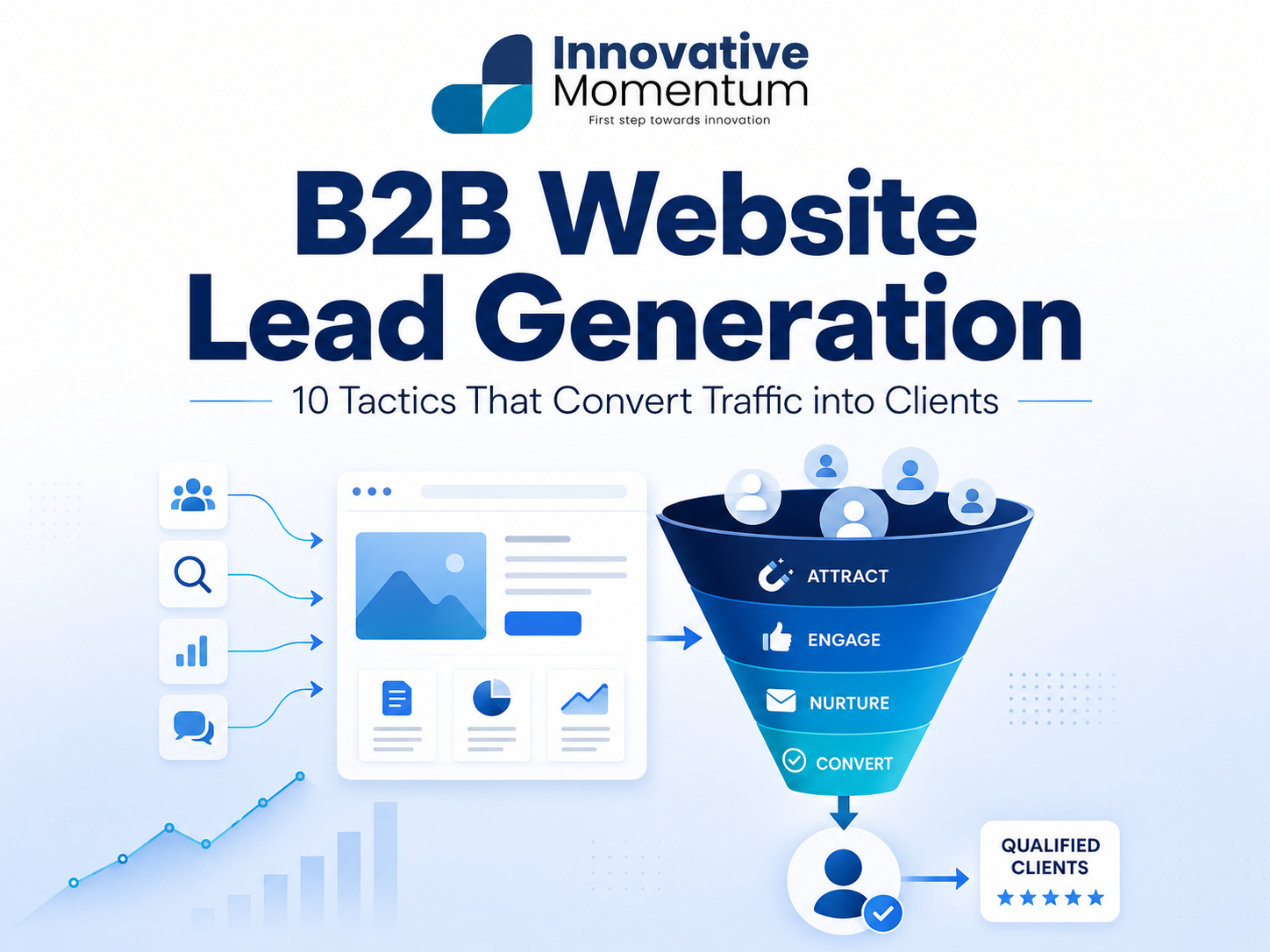
Key takeaway
Above-the-fold clarity determines whether visitors stay — clarity converts more than cleverness Specific social proof (logos, results, case studies) converts more B2B visitors than feature lists Contact forms with fewer fields consistently generate more submissions Pricing transparency reduces unqualified leads and raises the quality of enquiries Chat and booking tools capture visitors who will not fill in a contact form
Most B2B websites are built to look impressive, not to generate leads. The distinction matters: a site that looks good but confuses visitors about what to do next converts at under 1%. A site built around conversion architecture — clear messaging, well-placed calls to action, trust signals in the right order — routinely converts at 3–5% or higher. For a B2B business getting 500 monthly visitors, that difference is 10 leads versus 25. Over a year, it compounds into a pipeline gap that cannot be closed by increasing ad spend.
This guide covers ten specific tactics that move B2B website visitors toward a sales conversation, without requiring a full redesign to implement.
The B2B conversion architecture problem
B2B buyers do not convert on the first visit. They typically visit a site 3–7 times before making contact, comparing you against 2–4 competitors. Your website needs to do three things simultaneously: convince first-time visitors you are worth a second look, give returning visitors a clear next step, and reassure late-stage evaluators that you are the right choice.
10 tactics that convert B2B traffic into leads
1. Fix your hero headline
The most common B2B homepage failure: the hero headline describes what the company does (“WordPress Design and Development”) instead of what the client gets (“A WordPress website that ranks, converts, and your team can manage without a developer”). Rewrite your headline to describe the outcome, not the service. Test it with someone outside your industry — if they cannot explain what you do and who it is for after reading it, it needs rewriting.
Innovative Momentum
Want to implement these strategies for your business?
We help businesses grow with digital marketing, SEO, and AI-ready content strategies.
2. Add a specific value proposition below the fold
After the hero, most B2B sites go straight to services. Add one section that answers: “Why work with us instead of the other 50 agencies?” This is not a list of service features. It is a specific differentiator — your process, your specialization, a result you consistently deliver.
3. Make case studies specific and scannable
Generic testimonials (“Great to work with!”) do not convert. Case studies with specific numbers do. Format: client problem, your approach, measurable outcome. “Increased organic traffic from 400 to 3,200 monthly visitors in 6 months” outperforms “helped our client grow their business” in every conversion test. If you cannot get the client to share specific numbers, use percentage improvements.
4. Put a phone number or email in the header
B2B buyers evaluating an agency want to know that a real person is behind the site. A visible phone number or email in the header navigation — not just a Contact page link — signals accessibility and builds trust. It also significantly increases the click-through rate on your CTA buttons on the same page.
5. Use a process page to de-risk the decision
The second most common B2B conversion blocker after a weak value proposition is ambiguity about what happens after someone contacts you. A dedicated “How We Work” or “Our Process” page that walks through your onboarding, project phases, communication style, and timeline eliminates the uncertainty that prevents late-stage buyers from submitting.
6. Add client logos strategically (not just on the homepage)
Recognized client logos are the highest-converting trust signal for B2B buyers. Most sites only put them on the homepage. Add client logos near every primary CTA — on service pages, on the contact page, near the contact form. The closer the trust signal is to the conversion point, the higher the conversion rate.
7. Offer a low-friction middle step
For visitors not ready to book a call, offer something smaller: a free audit, a downloadable guide, an email newsletter with actionable tips. This captures leads earlier in the buying cycle and gives you a reason to stay in front of them until they’re ready. For SEO-focused services, a free website audit request converts well because the value is immediately obvious.
8. Add specific pricing signals (even without fixed prices)
B2B buyers who cannot find any pricing information on your site have a higher bounce rate than those who see a range or a “starting from” figure. You do not need to publish a price list. “Website projects typically range from $5,000 to $20,000 depending on scope” gives buyers the context they need to self-qualify — and stops you wasting time on calls from buyers with a $500 budget.
9. Write service pages for the buyer’s questions, not your capabilities
Most agency service pages describe what the agency does. High-converting service pages answer the buyer’s actual questions: “What problem does this solve?”, “What will my site actually look like?”, “How long will it take?”, “What do I need to provide?”, “What happens if I’m not happy?” Structure your service pages around these questions and your conversion rate will improve without changing a single design element.
10. Speed up your contact form
A contact form with more than 5 fields reduces conversion rate significantly. Name, email, company, brief description of what you need, and preferred contact method is sufficient for a first conversation. Every additional required field costs you inquiries. Save the detailed discovery questions for the call itself.
The platform matters: All of the above conversion tactics work better on a platform that gives you full control over page structure, CTA placement, and A/B testing. WordPress, and increasingly HubSpot CMS for B2B teams, offer this. Squarespace and Wix limit your ability to test and iterate on conversion architecture. For more, see our comparison of WordPress vs Squarespace for small business SEO.
Industry benchmarks: what conversion rates are actually realistic
Before optimizing, you need a baseline. B2B conversion rates vary considerably by industry, traffic source, and buyer intent. The table below shows typical visitor-to-lead rates for five B2B service categories, measured as form submissions plus calls attributed to the website.
The wide ranges in each category are not random. They reflect traffic quality more than anything else. An agency spending on Google Ads targeting “web design company Chicago” is pulling in visitors who are actively looking to hire — those visitors convert at 3–4%. An agency relying purely on branded search or direct traffic pulls in visitors who already know the brand, which tends to convert well but generates lower volume. Organic content traffic — blog posts, comparison pages, how-to guides — typically converts at the lower end of the range because visitors are in research mode rather than buying mode. Knowing which traffic source is driving your conversions (and which is not) matters more than chasing an overall site average.
The SEO-CRO connection: why more traffic without better conversion is wasted
There is a common assumption in B2B marketing: if leads are low, the answer is more traffic. Get more people to the site and the pipeline fills. This thinking is not wrong, but it misses a faster path.
Doubling your conversion rate from 1% to 2% produces exactly the same number of leads as doubling your organic traffic from 500 to 1,000 visitors per month. The difference is how long each takes and what each costs. Getting to 1,000 monthly organic visitors from a standing start typically takes 12 months or more of consistent SEO work: content creation, link building, technical fixes, and patience while Google indexes and ranks new pages. Understanding the true cost of that investment makes the math clearer.
Improving your conversion rate to 2% can happen in 30 days. A headline rewrite, a case study addition, a form shortened from 8 fields to 4 — these changes do not require new content, new links, or months of waiting. The arithmetic is simple: 500 visitors at 1% equals 5 leads per month. Those same 500 visitors at 2% equals 10 leads. You have not spent anything on traffic acquisition. You have just stopped throwing half of it away.
“The fastest way to double your leads from SEO is usually not more SEO — it’s fixing why the traffic you already have isn’t converting.”
This does not mean ignoring SEO. It means sequencing correctly. Fix conversion first, then scale traffic. If your site converts at 0.8%, adding more visitors just means more people leave without taking action. Get conversion to a solid baseline, then invest in growing the audience that will benefit from it.
How to test what’s stopping visitors from converting
If your conversion rate is below 1.5% and you are not sure why, the answer is usually visible in the data before it requires any guesswork. These four diagnostic steps will surface the most common blockers.
Install Microsoft Clarity (free) or Hotjar (free tier) and watch at least 20–30 session recordings on your most-visited pages. You are looking for three things: rage clicks (users repeatedly clicking something that is not clickable, which signals a broken or confusing UI element), scroll depth (if 80% of visitors leave before they reach your case studies, those case studies are not converting anyone regardless of quality), and form abandonment (where exactly people stop filling in your contact form). These recordings typically reveal conversion problems within a single afternoon of watching.
Check your contact page bounce rate in GA4. If it is above 60%, people are arriving on that page but leaving without submitting. That points to a problem with the form itself, the surrounding copy, or missing trust signals near the submission button. A bounce rate below 40% on a contact page is a good sign; above 70% almost always means something structural needs to change.
Run a five-person hallway test. Ask someone unfamiliar with your business to visit your homepage and describe what you do and who you serve. Give them ten seconds, then ask. If they cannot answer clearly, your headline is not doing its job. This test costs nothing and routinely identifies the single highest-impact change you can make. Most B2B agencies are surprised by how much jargon-heavy headlines confuse people outside their industry.
Check your form abandonment rate specifically. If visitors start filling in your form but do not submit, the form itself is the problem. Too many required fields, a question that feels invasive early in the relationship (budget, company revenue, timeline), or an unclear submit button label (“Submit” converts worse than “Get My Free Consultation” on most B2B sites). Each of these issues is fixable in an afternoon without touching your SEO or your design.
Frequently asked questions
How do I know if my B2B website conversion rate is good?
B2B website conversion rates (visitor to lead) typically range from 1–5%. Under 1% indicates a structural conversion problem. 2–3% is solid for most B2B services. Above 4% usually indicates strong brand recognition or very targeted traffic. Measure your conversion rate in GA4 by setting up a “Thank you” page goal or form submission event.
Should I use a chatbot to capture leads?
A live chat widget (with a human or an AI agent that can hand off to human) can increase lead capture by 20–40% for B2B sites with sufficient traffic. A chatbot that cannot escalate to a human and only collects contact details often adds friction rather than reducing it. If you are going to use chat, ensure it can answer basic qualifying questions and book a call without the user needing to wait.
How long does it take to see results from conversion optimization changes?
Faster than SEO. A headline change or form simplification can show measurable improvement in 2–4 weeks with sufficient traffic. The practical constraint is statistical significance: you need at least 200–300 form views to get meaningful data on whether a conversion test is actually working or just noise. If your contact page gets 50 views per month, changes will take longer to validate — but they can still be made, and you will see directional movement even if it is not statistically clean. Start with the changes most likely to have an outsized effect (headline clarity, form length, trust signals near the CTA) rather than running formal A/B tests on button color.
Should I use a landing page or my main service page for lead generation?
Main service pages work better for organic search traffic. They have depth, internal links, and the contextual detail that search visitors need before they are ready to contact you. A thin landing page with a single CTA and no supporting content performs poorly for organic visitors because those visitors arrived with a research intent, not a buying intent. Dedicated landing pages work better for paid search, where you control the visitor’s entire journey from ad to form and want to minimize distractions. Building a thin landing page to replace a well-structured service page is one of the more common SEO-CRO mistakes: it might lift paid conversion briefly while quietly hurting your organic rankings. Keep them separate and purpose-built for each traffic source.
If you want help building a B2B website that converts organic traffic into client inquiries, contact Innovative Momentum.

Keep reading
Related insights
No comments yet. Be the first to share your thoughts.