
Key takeaway
Small businesses get the best Google Ads ROI by starting with exact match keywords, targeting a tight geographic area, and sending traffic to a dedicated landing page — not your homepage.
Google Ads puts your business in front of people who are actively searching for what you sell, at the exact moment they are looking. Unlike SEO, which builds over months, a well-configured Google Ads campaign can generate enquiries on day one. For small businesses, that speed is valuable — but Google Ads is also one of the fastest ways to spend a budget without getting results if the fundamentals are wrong.
This guide covers how Google Ads works for small businesses, which campaign types are worth using in 2026, and the structural decisions that determine whether you make money or burn it.
How Google Ads Works
Google Ads is an auction system. When someone searches a keyword you are bidding on, Google runs an instantaneous auction to determine which ads appear and in what order. The winner is not the highest bidder — it is the ad with the highest Ad Rank, which combines your bid with your Quality Score.
Quality Score is Google’s 1-10 rating of how relevant your ad and landing page are to the search query. A high Quality Score (7-10) means you can pay less per click than a competitor with a lower score bidding more. A low Quality Score (1-4) means you pay a premium for every click and your ads show less often. Quality Score is the single most important lever small businesses can pull to reduce cost per acquisition.
Innovative Momentum
Want to implement these strategies for your business?
We help businesses grow with digital marketing, SEO, and AI-ready content strategies.
Campaign Types Worth Using in 2026
Search campaigns
Search campaigns show text ads when someone types a query matching your keywords. This is the foundation for most small businesses: high intent, measurable, and directly tied to purchase decisions. A plumber, solicitor, or accountant should run Search campaigns before anything else.
The match type you choose determines how closely a search must match your keyword. Broad match has expanded significantly in recent years and now uses AI to match queries beyond literal keyword variations — this increases reach but can attract irrelevant clicks. Phrase match and exact match give more control. For small businesses with limited budgets, start with phrase and exact match to keep spend focused on your most relevant queries.
Performance Max campaigns
Performance Max (PMax) is Google’s fully automated campaign type that runs ads across all Google surfaces — Search, Display, YouTube, Gmail, Maps — using machine learning to optimize towards a conversion goal. PMax works well when you have sufficient conversion data (50+ conversions per month) for the algorithm to learn from. Without conversion data, PMax tends to spend heavily on low-intent Display inventory while reporting inflated conversion numbers. Start with Search, get conversion tracking right, then test PMax once you have data.
Local Services Ads
For service businesses, Local Services Ads (LSA) appear above standard Google Ads in search results with a “Google Guaranteed” badge. You pay per lead rather than per click, and Google screens your business for license and insurance verification. For trades and professional services, LSA typically delivers lower cost per lead than standard Search campaigns. The limitation: you cannot control ad copy — Google generates it from your profile.
Keyword Strategy for Small Business Google Ads
The most common mistake in small business Google Ads is bidding on keywords that are too broad. “Plumbing” has enormous volume but includes people looking for DIY guides, plumbing supplies, and plumbing jobs — not someone who needs a plumber today. “Emergency plumber London” has lower volume but almost every click is a commercial prospect. Bidding on intent-qualified, specific queries delivers better results at lower cost than chasing volume.
Build your keyword list in three tiers:
- Core service keywords: “your service your city” — the direct commercial queries. Highest intent, often highest competition and CPC. Essential to include.
- Problem-aware keywords: “boiler not working”, “drain blocked” — the moment of need. Often lower CPC than branded service terms because fewer competitors target them.
- Comparison keywords: “best your service your city”, “your service cost” — research stage. Lower intent than core keywords but useful for capturing prospects earlier in the funnel.
Negative keywords are equally important. Add negatives for “DIY”, “how to”, “course”, “training”, “job”, “career”, and any specific irrelevant locations from day one. Review your Search Terms report weekly in the first month — Google will show you the actual queries triggering your ads, and many will be irrelevant without a solid negative keyword list.
Budget and Bidding Strategy
How much to spend depends on your market and objective. A useful starting framework: take the average CPC for your core keywords (available in Google Keyword Planner) and multiply by the number of clicks you want per day. A service business targeting 5 qualified clicks per day at an average CPC of £4 needs a £20/day budget.
For bidding strategy, start with Maximize Clicks (manual CPC cap) until you have conversion data, then switch to Target CPA (cost per acquisition) once you have 30+ conversions in the last 30 days. Smart bidding strategies require conversion data to work correctly — using Target CPA without conversion history produces erratic results.
Conversion tracking is non-negotiable. Without it, you cannot tell which keywords, ads, or landing pages generate enquiries. Set up conversion tracking for phone calls, form submissions, and booking completions before spending a single pound/dollar. Google Ads conversion tracking is free and takes about 30 minutes to configure.
Landing Page Alignment
The landing page you send clicks to has as much impact on your campaign results as the ad itself. A click from “emergency boiler repair Manchester” should land on a page specifically about emergency boiler repair in Manchester — not your homepage, not a general plumbing services page. The page needs: the keyword in the H1, a visible phone number and contact form above the fold, trust signals (credentials, reviews, years in business), and fast load time on mobile.
Page speed directly affects Quality Score. A landing page that takes 5 seconds to load on mobile will have a lower Quality Score than an equivalent page that loads in 1.5 seconds, which means you pay more per click for the same position. Our guide on website speed optimization for small businesses covers the specific fixes that improve landing page performance.
Google Ads vs SEO: When to Use Each
Google Ads and SEO are not alternatives — they are complementary channels with different timelines and cost structures. Google Ads delivers traffic immediately but stops the moment you pause spend. SEO takes 3-6 months to show significant results but continues delivering traffic without ongoing per-click cost. For a new business needing immediate enquiries, start with Google Ads while building organic presence through SEO. Once organic traffic reaches sustainable levels, reduce paid spend on keywords where you rank organically.
Our guide on small business digital marketing strategy covers how to allocate budget across channels at different business stages. For the SEO cost comparison, our guide on how much SEO costs for small businesses gives realistic budget expectations for organic search.
Common Google Ads Mistakes Small Businesses Make
- Using broad match with no negative keywords: Google’s expanded broad match will burn through budget on tangentially related queries. Add 20-30 negatives before launch and review search terms weekly.
- Sending all traffic to the homepage: Homepages are designed for multiple audiences. Dedicated landing pages always convert better than homepages for paid traffic.
- Not tracking conversions: Without conversion tracking, optimization is guesswork. Every optimization decision — which keywords to scale, which to pause — requires conversion data.
- Letting Google’s “recommendations” run automatically: Google’s automated recommendations often serve Google’s revenue interests more than yours. Review every recommendation manually before applying it.
- Running ads without a budget cap: Set a daily budget cap and monitor spend daily in the first two weeks. Google can overspend daily budgets by up to 2x on high-traffic days.
Measuring Google Ads Performance
The metrics that matter for small business Google Ads, in order of importance: cost per conversion (CPA), conversion rate, and cost per click. Impressions and click-through rate are secondary metrics that inform optimization but should not be optimized in isolation. A campaign with a high CTR but zero conversions is not performing — it is attracting the wrong audience.
Connect Google Ads to Google Search Console and Google Analytics to track the full visitor journey from click to conversion. The Google Search Console guide for small businesses covers the Search Console connection and the reports that show organic vs paid traffic performance side by side.
For a broader picture of how Google Ads fits into your marketing strategy, contact Innovative Momentum for a paid search audit and strategy session.
Frequently Asked Questions
How much should a small business spend on Google Ads?
There is no universal answer, but a practical minimum is £300-£500/month (or $400-$600) to gather enough data to optimize meaningfully. Below this threshold, you may go weeks without enough conversions to make informed decisions. The right budget is the one that generates enough conversion data to optimize towards a profitable cost per acquisition for your specific service and market.
How long does it take for Google Ads to work?
A well-configured Search campaign can generate leads on day one. However, the first 2-4 weeks are typically a learning period where the algorithm optimizes bid strategy and you refine your negative keyword list. Realistic timeline: 4-6 weeks to establish baseline performance, 3 months to optimize to a stable cost per acquisition.
Should I manage Google Ads myself or hire an agency?
Self-management is viable if you commit 3-5 hours per week to monitoring and optimization. Common self-managed pitfalls: insufficient negative keywords, poor landing page alignment, and not reviewing search term reports. An agency adds cost (typically 10-20% of spend or a monthly retainer) but brings the experience to avoid expensive early mistakes. For budgets under £500/month, the agency fee often represents a disproportionate share of spend — self-management with a structured learning approach can work at this scale.
Writing Effective Google Ad Copy
Responsive Search Ads (RSAs) are now the standard ad format in Google Ads. You provide up to 15 headlines (30 characters each) and 4 descriptions (90 characters each), and Google tests combinations to find which perform best. This gives Google’s machine learning more material to work with, but it also means your weakest headlines will occasionally appear in combinations you would not have chosen manually. Write all 15 headlines at the same quality level — Google will use every combination you provide.
High-performing headline principles for RSAs:
- Include the keyword in at least one headline: When the search term matches your ad headline, it appears in bold — improving click-through rate visually. For service businesses, include your core service and location.
- Vary the proposition across headlines: Do not write 15 variations of the same value proposition. Include headlines covering: main service, years of experience, key differentiator (accredited, guaranteed, 24/7), specific outcome, and a call to action (“Call today for a free quote”).
- Use ad extensions aggressively: Sitelinks (links to specific pages), callouts (short features: “Free quotes”, “10+ years experience”), structured snippets (types of services), and call extensions (phone number shown in ad) all increase the visual footprint of your ad and provide additional click opportunities at no extra cost.
Remarketing: Reaching Visitors Who Did Not Convert
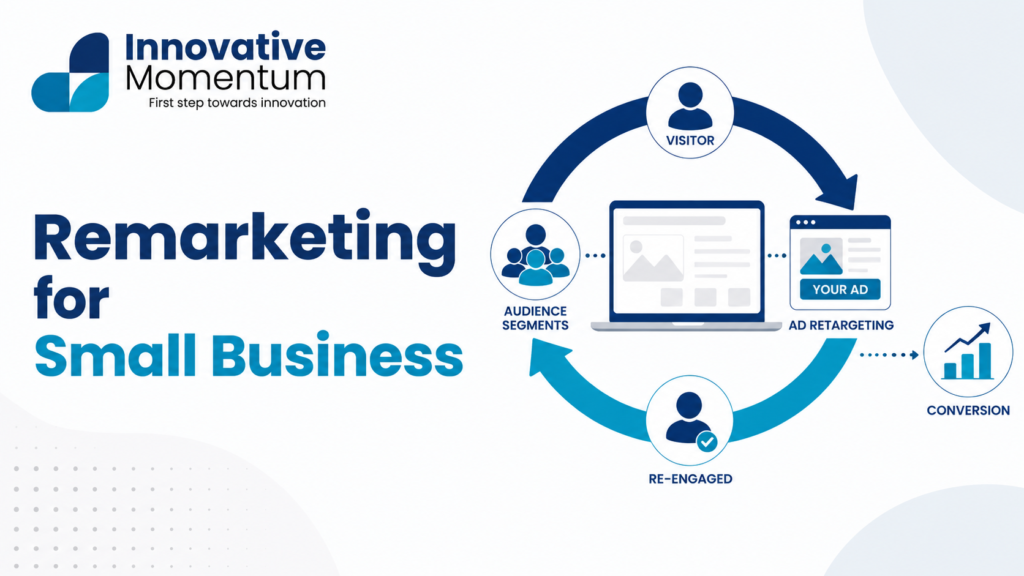
Remarketing allows you to show ads to people who have previously visited your website but did not convert. For service businesses with longer consideration periods, remarketing is particularly valuable: the prospect who visited your site and read about your services but did not contact you may still be in the decision process. A remarketing ad appearing as they browse other sites reinforces your brand and provides an additional opportunity to capture the lead.
Google Display Network remarketing reaches previous visitors across millions of partner websites. YouTube remarketing reaches previous visitors with video ads. For most small service businesses, the audience size for remarketing is relatively small (a few hundred to a few thousand visitors per month), but the conversion rates are significantly higher than cold traffic because these are pre-qualified prospects. Set remarketing campaigns with a frequency cap (2-3 ad views per user per week) to avoid overexposure that leads to banner blindness or annoyance. For a complete picture of how paid search fits within your broader marketing investment, see the digital marketing strategy guide.

Keep reading
Related insights
No comments yet. Be the first to share your thoughts.